Inside the Case


Before you begin this Mini ITX build, review the component guidelines below to ensure a perfect fit and to take full advantage of the case’s active and passive ventilation.
Case:
The Industrial ships as a kit with straightforward, step-by-step instructions—assembly requires only a Phillips screwdriver. The case dimensions are 265mm H x 218mm L x 95 mm W.
Included in the box:
CNC-machined aluminum case panels
Aluminum headset hangar
Power button with 15cm cable
Nuts, bolts, and rubber feet
Please confirm that the included power button cable suits your build. In the unlikely event that it’s too short, contact us for assistance or use a compatible third-party power switch (12mm, white, power on)
Power Supply:
The Industrial is engineered specifically for the HD Plex 500W GaN AIO power supply for maximum efficiency and clean cable management.
Motherboard:
The Industrial supports Mini ITX motherboards only, ensuring a compact build.
Graphics Card:
The Industrial was specifically designed for low-profile GPUs, like the Gigabyte GeForce RTX 5060 Low Profile. A large top vent allows access to plenty of cool air, with vents on both sides allowing for rapid GPU exhaust.
CPU Cooler:
We recommend using the Noctua NH-L12S Low Profile as it provides adequate clearance above low profile RAM while staying within the case’s bounds. Other coolers may be supported - verify dimensions beforehand. Maximum cooler height supported is 72mm.
RAM Modules:
The Crucial Pro DDR5 6000 MHz modules deliver high performance in a low-profile form factor, ideal for clearance under the recommended cooler. Other RAM modules are supported - verify dimensions beforehand.
Case Fans:
Case fans are not needed nor supported as the CPU & GPU both have dedicated intake and exhaust vents that have proven excellent thermal performance. Additionally, the PSU benefits from passive heat dissipation through its aluminum mounting panel and also has a dedicated exhaust vent.
Recommended Build (Guaranteed Compatibility with The Industrial):
Power Supply: HD Plex 500W AIO
Motherboard: ROG Strix B650 E-I
GPU: Gigabyte GeForce RTX 5060 Low Profile
CPU Cooler: Noctua NH-L12S Low Profile
CPU: AMD Ryzen 5 7600X
Case Orientations
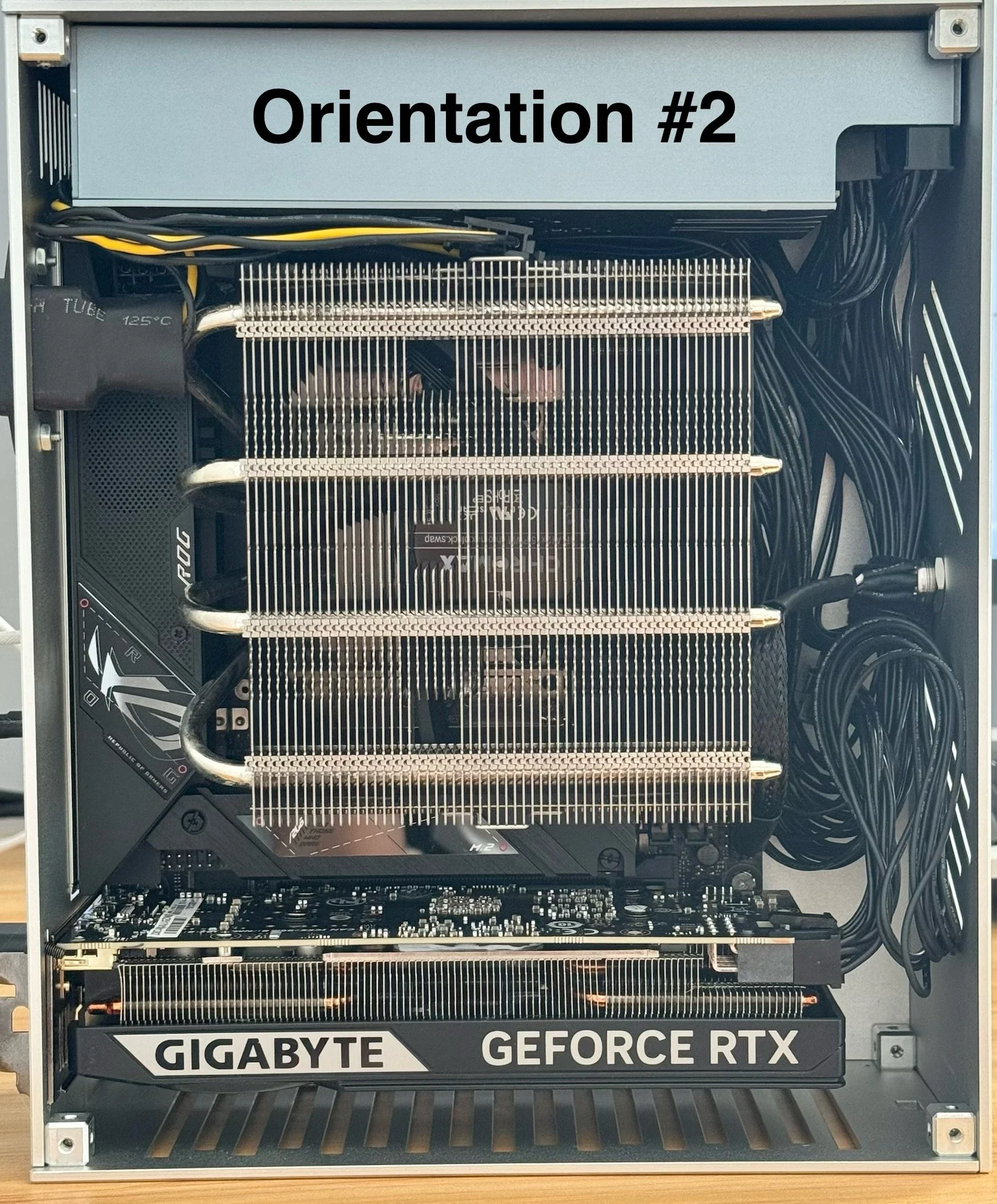
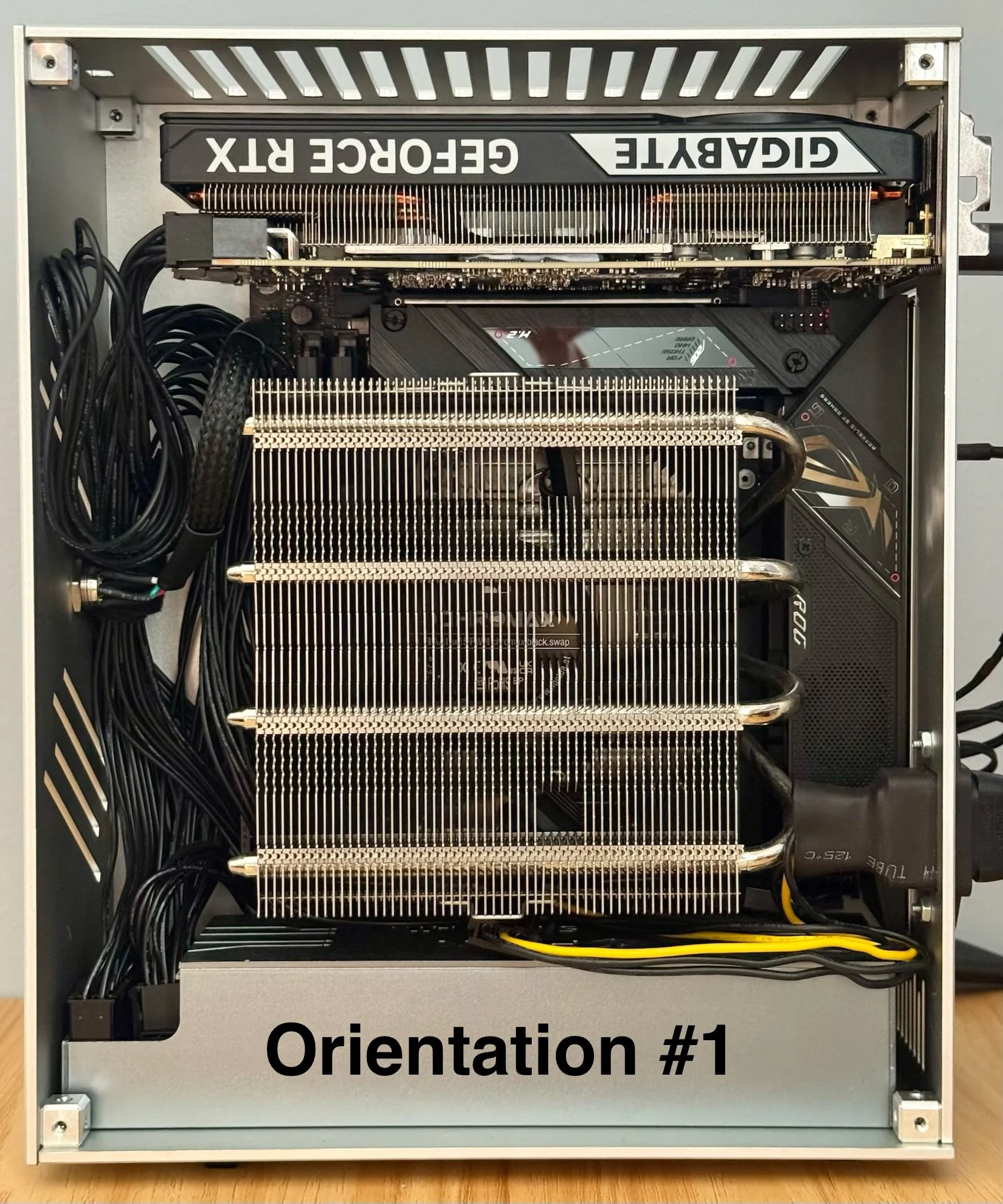
The Industrial supports both right (#1) and left (#2) orientations when looking from the front, allowing you to choose whether the GPU sits on the top or bottom.
Our product images feature the right orientation, with the CPU exhaust vent on the right and the GPU positioned on top. We recommend this layout for optimal airflow, as it gives the GPU direct access to cool intake air.
If you prefer the GPU and motherboard rear-panel lettering to appear right-side up, the left orientation is equally supported. Switching between orientations is simple—just follow the instructions on the Assembly tab. Flipping the case and repositioning the included rubber feet is all it takes.
The headset hangar functionality is only supported with the right orientation with the vent panel on top.